
Stop losing patients, collections, and follow-through between busy clinic days.
DentOps is one workspace for the daily action board, patient context, follow-up recovery, billing, expenses, and doctor payouts — across every clinic you run.
- Multi-clinic ready
- Web + Android companion
- 30-day trial
- Built for solo & small-chain practices
Speak the exam. The chart fills itself.
Dictate findings while your hands are busy. DentOps transcribes the dictation, maps it to the right examination fields — tooth numbers, findings, investigations — and proposes structured chart updates, each with a confidence level and the phrase it came from.
Record hands-free during the exam, or type a quick note. Works on one section or the full examination.
Every suggestion shows the phrase it came from and a confidence level. Uncertain items are flagged for review — never auto-applied.
Apply one, apply all high-confidence, or discard. Everything stays a draft until you save the examination.

These four gaps are common in growing practices — not because the team is careless, but because the day moves faster than the tools. DentOps is built around them, not around a generic feature checklist.
Missed visits, overdue follow-ups, and unconfirmed appointments stay invisible until someone calls to complain.
Profile, consultations, exams, treatments, reports, vitals, and billing live in different places. No one has the full picture.
Drafts, partial payments, advances, balances, expenses, and doctor payout readiness drift apart from each other.
Each new clinic adds logins, spreadsheets, and reconciliation work. The team loses one source of truth.
Loose ends become an action queue your team can clear.
Overdue follow-ups, missed visits, and unconfirmed appointments stay visible until someone handles them — and every action links back to the right patient.
 Follow-ups
One patient workspace the front desk, dentist, and billing all trust.
Consultations, exams, treatments, vitals, reports, follow-ups, and billing sit on one patient — not across four tabs and a paper book. The next person to open the patient sees what the last person did.
 Patient Workspace
Allergies, conditions, and risk notes shown next to the patient name — not buried four screens deep.
Phase, progress, and lab dependencies stay with the plan — visible to whoever opens the patient next.
OPGs, prescriptions, vitals, and invoices live with the person — easy to pull up months later.
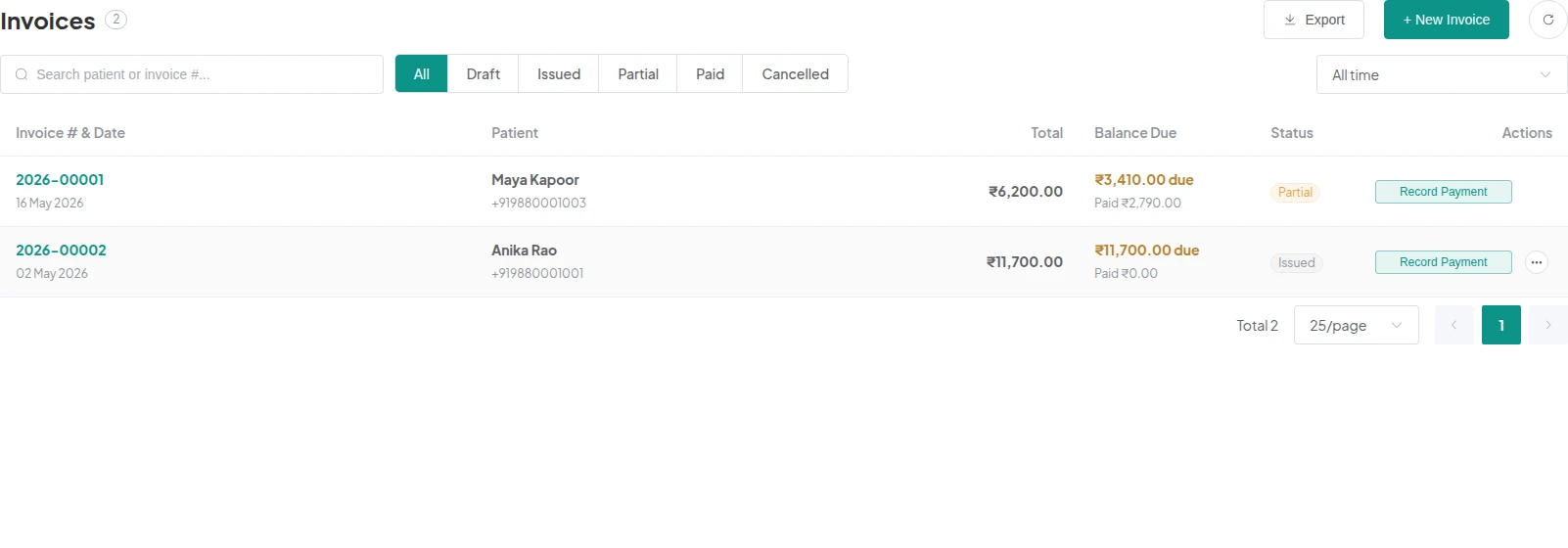
Owners stop reconciling four sheets at month end. Invoices, payments, advances, expenses, and doctor payouts share the same source of truth as the clinical record.
Drafts, issued invoices, and balances stay attached to the patient and the treatment.
Partial payments, advances, and balances reconciled in one place — not in chat.
Lab orders, consumables, and clinic expenses tracked against treatment, not just the month.
Doctor settlements computed from collected revenue — by share or per-visit, with an audit trail.
 Invoices
 Payouts
One login. Separate clinic context. Nothing leaks between locations.
Switch clinics from the top bar. Each clinic keeps its own patients, appointments, doctors, settings, currency, and books — but you, the owner, see them in one place.
Bring patient movement, billing, and doctor payouts into one clinic workspace.
30-day trial, then monthly or half-yearly billing. Multi-clinic from day one. Web workspace with an Android companion for day-of-clinic work.
Five questions clinic owners usually ask before they start. Anything else? Email main@dentops.in.
Solo and multi-doctor dental clinics that want the front desk, dentist, and owner to stop working off different sheets. Useful from a one-dentist single-chair clinic all the way to a small chain.
A 30-day trial of the full workspace, then choose monthly or half-yearly billing. See the pricing page for current plan prices in your currency.
Yes. The plan supports the web workspace and the native Android companion app — built for quick patient lookup, appointment confirmation, and follow-up actions during the day.
Yes. One login switches between clinics, and each clinic keeps its own appointments, patients, billing, and payouts.
Sign in with Google and onboarding walks you through clinic and doctor setup. You can add more clinics later from the same workspace.